


As a new member to a space that allows conversations, I want to discover what are the discussions going on and how to participate easily and with confidence.
Acceptance criteria
General
We use Discussions as the word to encapsulate comments and references to documents
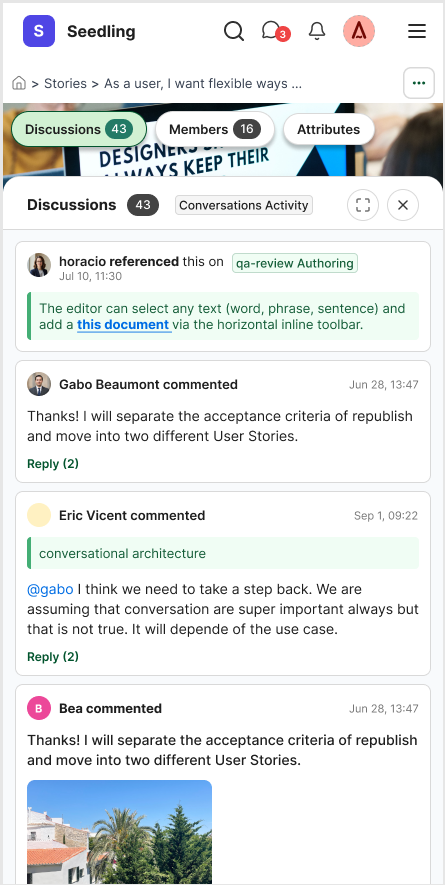
Activity tabs are moved to the top left and split into: 1. Discussions, 2. Members and 3. Attributes
When the user clicks one, a right sidebar opens (bottom up on mobile), keeping the context of the document
Attributes tab can stay here for now, but we will explore other options on ⚠️ As an Editor, I want to add an attribute to a document from existing attributes
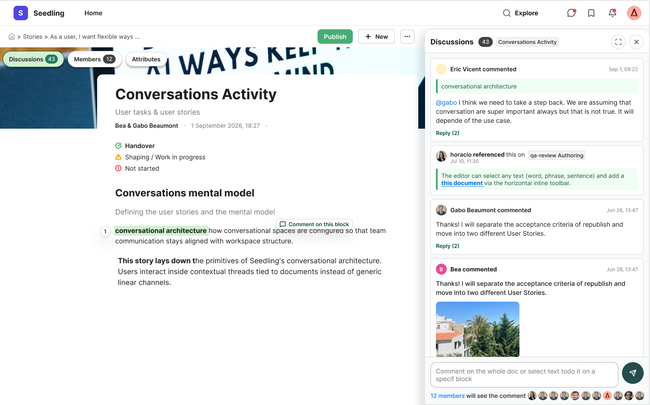
Discussions panel
User can close the discussions panel any time
User can expand discussions panel at any time, losing context of the document
There is a reference to the doc. name and the number of discussions on the header of the panel
When hovering there would be bookmark, link and 3 dots options.
Comments
Comments can happen:
To the whole document
To a specific block text or specific word or line
Text will be underline and it will be highlighted as well on the comment.
To an image or video
The element is visually highlighted but without taking a lot of space. To facilitate this:
Images and videos are smaller. When user clicks the thumbnail, it will be highlighted in the document.
When user click on a text block, it will be highlighted in the document
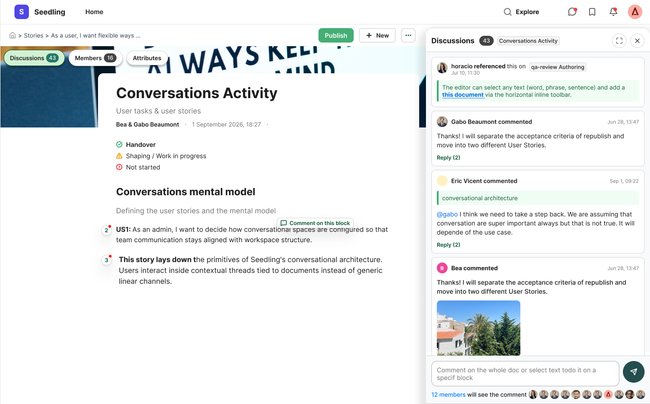
References
References of the document in other document's conversations will be shown on the discussion panel.
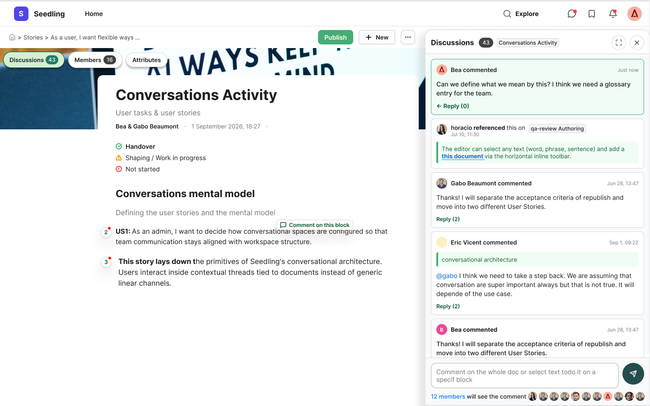
Adding a comment
The input box to add a comment is place at the end of the discussions panel.
When user want to participate for the first time, he can easily see who will receive the comment.
When clicking the members on the comment area, user will be redirect to the members tab.
When user adds a comment it will be highlighted on top and in green.
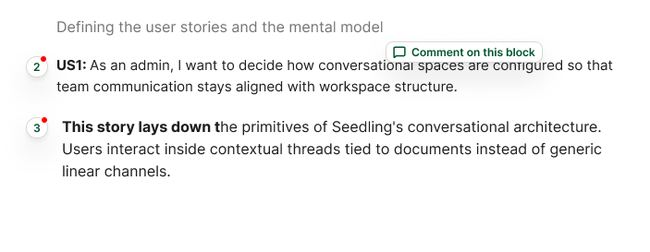
Content area
For new users discovery the document will show:
More clear super numbers where there are comments on text blocks.
A tooltip to leave a comment on any part of the document text. This will disappear after user added the first comment.
Design
Mobile version
The problem: The current solution has a tab system that hides conversations behind multiple clicks and threads are difficult to follow because they get fragmented.
The challenge: Make it easy to see that you can comment and there is activity without interrupting the reading.
Do you like what you are reading? Subscribe to receive updates.
Unsubscribe anytime