

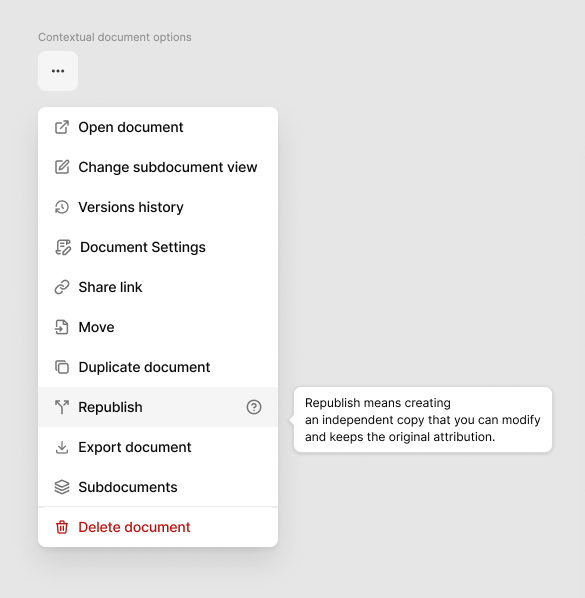
The user can " Republish" → (Branching) → also the dialog applies to move.
Acceptance criteria
Any user can republish any document, no need special permissions to republish a document
Users with write permissions can move documents. They need to have permission to move both the source document and the target location
For both Republish or Move actions, a dialog will appear in the middle of the screen showing:
a label of the action selected ("Move to" or "Republish to")
the source document title: the one the user wants to move/republish
the target location the source document will have after performing the action
a search bar for easy search of the target location parent document
a list of subdocuments of the current target location selected above. This list changes depending on the target location selected. Each item is clickable and added to the target location selected, updating both the target location and the list of subdocuments.
an editable input with the source document path. The user can also change the source document path in the same action if needed
the resulted URL of the source document after the action is made
action buttons: Cancel and Move/Republish
The user can press ESCAPE anytime the dialog is opened to close the dialog and cancel the action
When the user accepts the action, the user will be redirected to the source document in its new location. a success toast will appear at the bottom right corner
If the action fails, a toast will appear at the bottom right corner with the correct error. The dialog should not get closed.
Do you like what you are reading? Subscribe to receive updates.
Unsubscribe anytime