
As an Owner, I want to manage access to my private space




1. Where to manage access
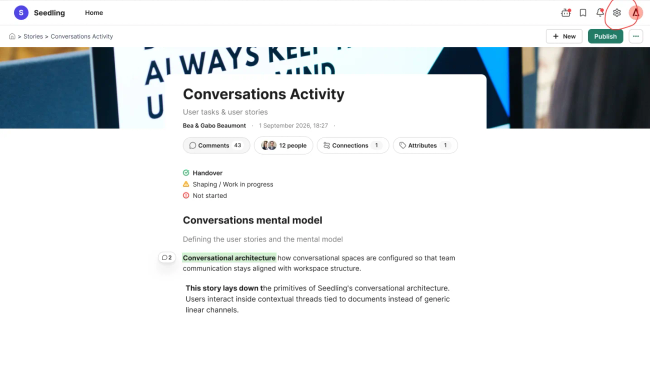
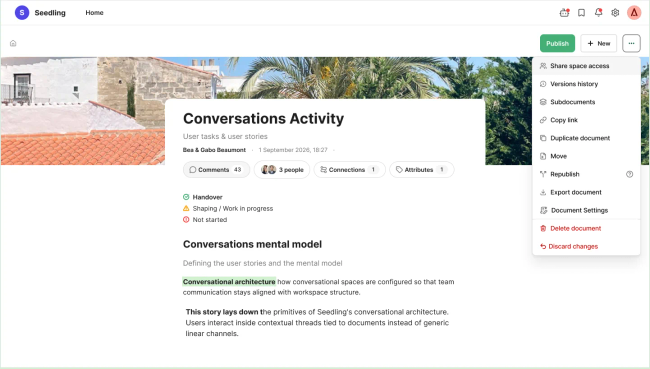
Admins can open sharing settings from
Space Settings accesible on the wheel icon placed on the header
From the homepage via (⋯) → Share space access.
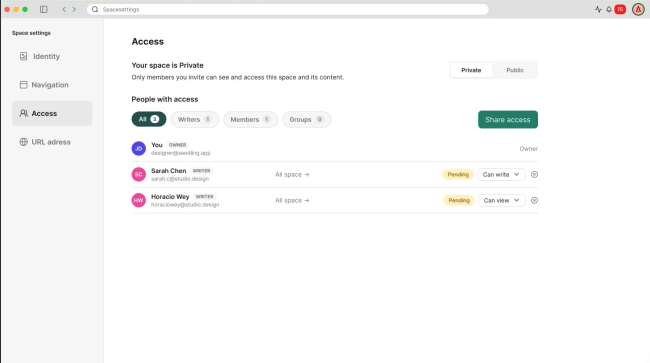
2. Privacy modes and start sharing:
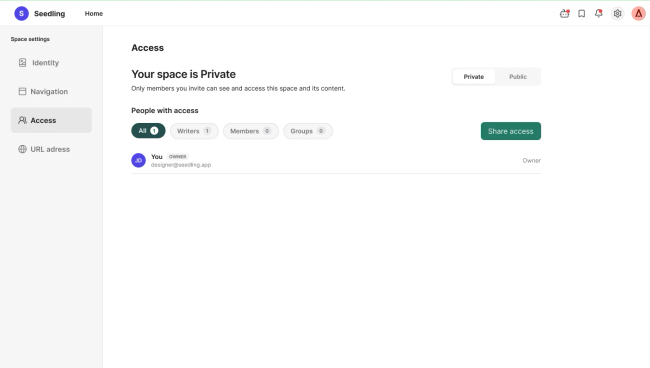
Admins can see the space Privacy on Space Settings.
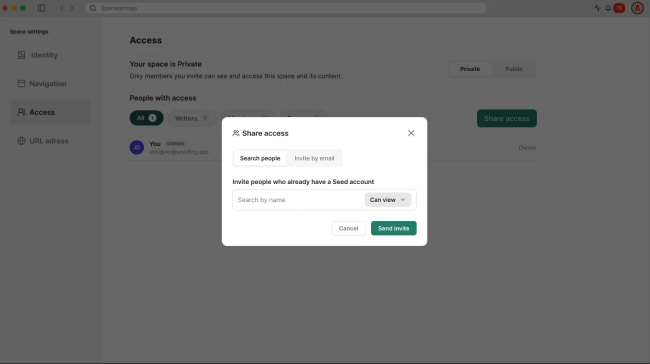
Admins open Share access from the Access Section. There are two ways to invite:
Invite people: search for people who already have a Seed account and add them directly.
Invite by email: in the next future
Do you like what you are reading? Subscribe to receive updates.
Unsubscribe anytime
Powered by Seed HypermediaOpen App